User Interface
PPE Filtering can be invoked in the Sentinel Toolbox from tool menu
by selecting
Optical -> Preprocessing -> OLCI PPE Filtering
.
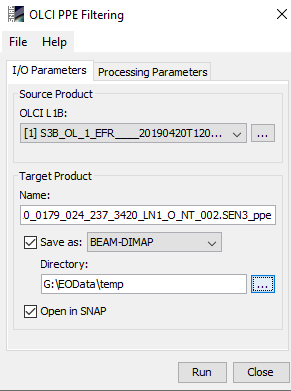
Source Product Group
Source product:
Here the user specifies the source product reflectance. The combo
box presents a list of all products opened in the Sentinel Toolbox.
The user may select one of these or, by clicking on the button next
to the combo box, choose a product from the file system.
Target Product Group
Name:
to specify the name of the target product.
Save as:
checkbox to specify whether the target product should be saved to
the file system. The combo box presents a list of available file
formats. The text field or the button next to it allow to specify a
target directory.
Open in SNAP:
Used to specify whether the target product should be opened in the
Sentinel Toolbox. When the target product is not saved, it is
opened in the Sentinel Toolbox automatically.
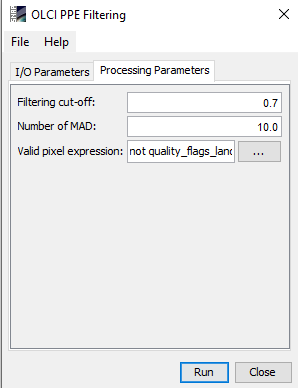
Processing Parameters Panel
Filtering cut-off:
Pixel will be filtered if it deviates from its neighbors median by
more than this number. Default value=0.7
Number of MAD:
Pixel will be filtered if it deviates from its neighbors median by
more than this number times Median Absolute Deviation. Default
value=10
Valid pixel expression:
This expression is uses for validating pixels which will be
considerd for processing, if the user did not add any expression
only the water pixels will be filtered. If the expression is set to
TRUE, then all pixels are considered to be valid. The button
can be use in creating a valid express.
