Mosaic Operator
The Mosaic Operator combines overlapping products into a single
composite product. The mosaicking is achieved based on the
geocoding of the source products therefore the geocoding needs to
be very accurate. It is recommended that the source products be
Terrain Corrected and Radiometric Corrected first.
The following parameters are used by the Operator:
- Source Bands: All bands (real or virtual) of the source
product. You may select one or more bands. If no bands are
selected, then by default all bands will be processed.
- Resampling Method: Choice of Nearest Neighbour, Bilinear,
Cubic, Bi-Sinc or Bi-Cubic resampling.
- Pixel Size (m): The output scene pixel spacing in meters.
- Scene Width (pixels): The output scene width in pixels.
- Scene Height (pixels): The output scene height in pixels.
- Feather (pixels): The number of pixels skipped on the boundary
of the source images.
- Weight Average of Overlap: Averaging option to blend
overlapping pixels. To achieve better mosaic result, the Normalizer
checkbox below should be selected as well.
- Normalizer: Normalization option to remove mean and normalize
standard deviation.
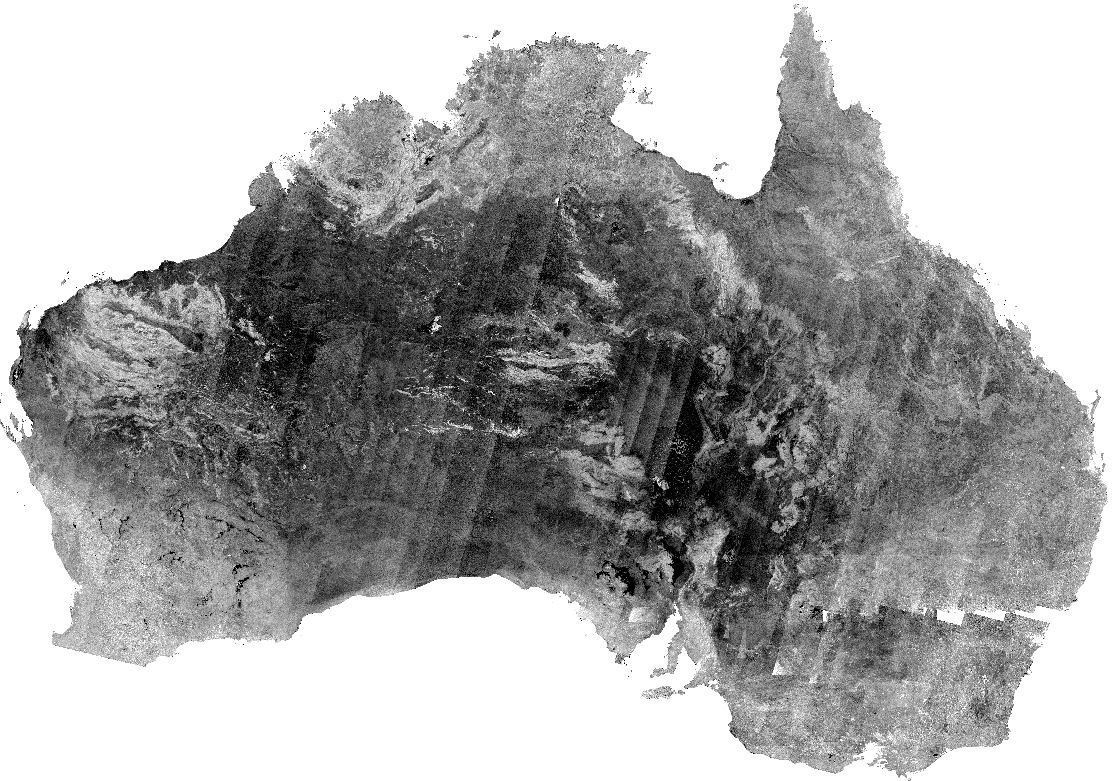
Below is an example of a mosaic of ASA_GM1 products that have
been Terrain Corrected and Radiometric Corrected. Overlapping areas
have been normalized and averaged.